A player auction run on one laptop, watched by five captains crowded around a table, is a meeting. The same auction on a big screen, with every purse and every bid visible to the whole room and a stream running for everyone who could not make it, is an event. The difference costs you almost nothing. It is mostly about knowing what to plug in where.
This guide covers the three layers of broadcasting an auction: the projector for the room, the YouTube stream for everyone else and the phones in between. None of it needs production experience.
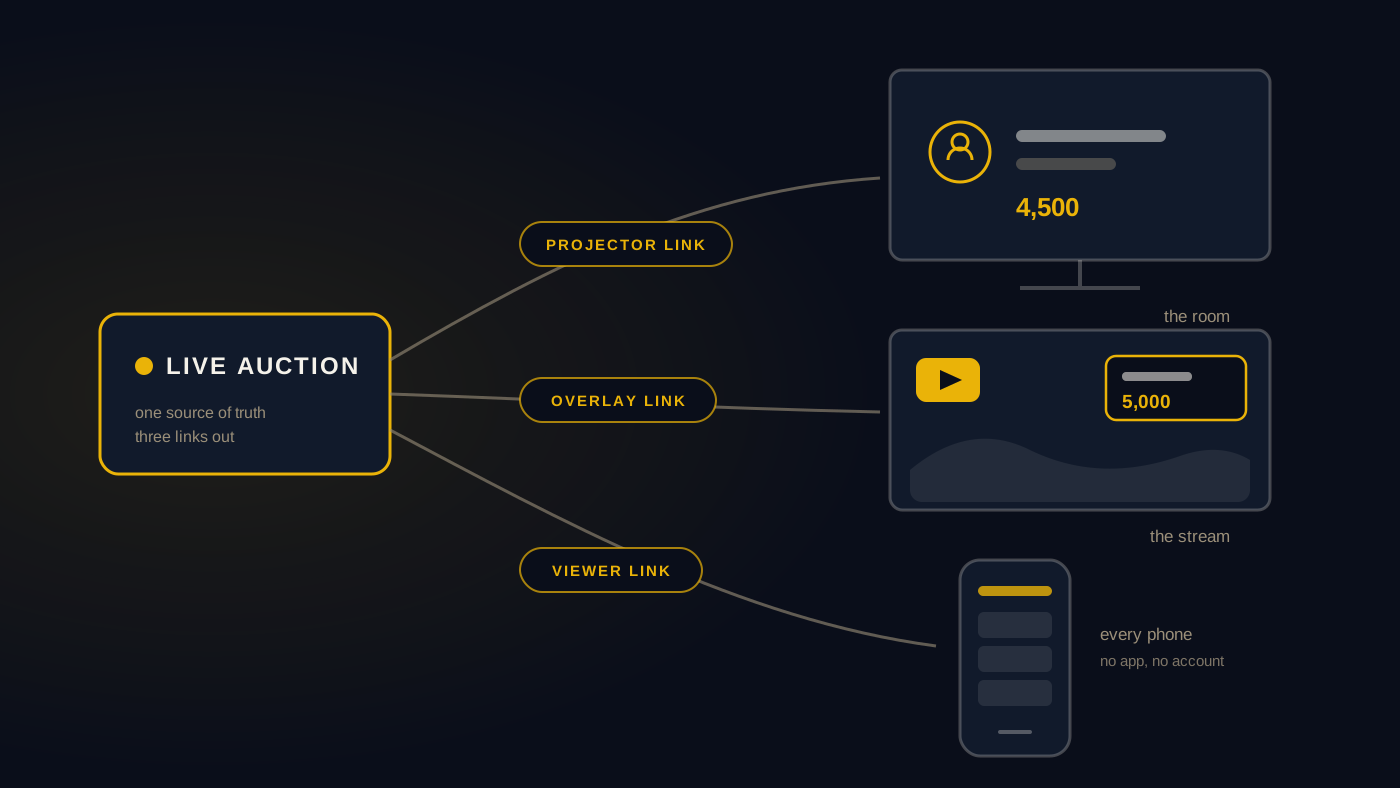
First, what is a broadcast scene?
One idea makes everything else in this guide click, so let us start there.
A broadcast scene is a full-screen page designed to be looked at, not operated. Think of what you see during a televised cricket match: the score strip, the player card when a batter walks in, the team comparison graphic at the innings break. Each of those is a scene. It shows the state of the game beautifully and it never shows the production controls.
Auction software built for broadcasting works the same way. The operator drives the auction from one screen, a plain working panel with buttons and lists. The audience sees a different screen entirely: a designed, animated scene showing the player on the block, the current bid, team purses or whatever moment the auction is in. AuctionXI ships twenty of these scenes, covering live bidding, team finances, full squad boards, tournament stats, sponsor spotlights and a closing celebration, and the operator switches between them with one click.
Once you understand that the audience screen and the operator screen are separate things, the rest of this guide is just deciding where to point the audience screen.
Layer one: the projector
The projector, or a big TV, is the heart of auction night. Every good auction room has one focal point that the whole crowd watches together. Here is how to set it up.
What you need: a projector or large TV, a laptop or any device with a browser and the HDMI cable or casting setup to connect them.
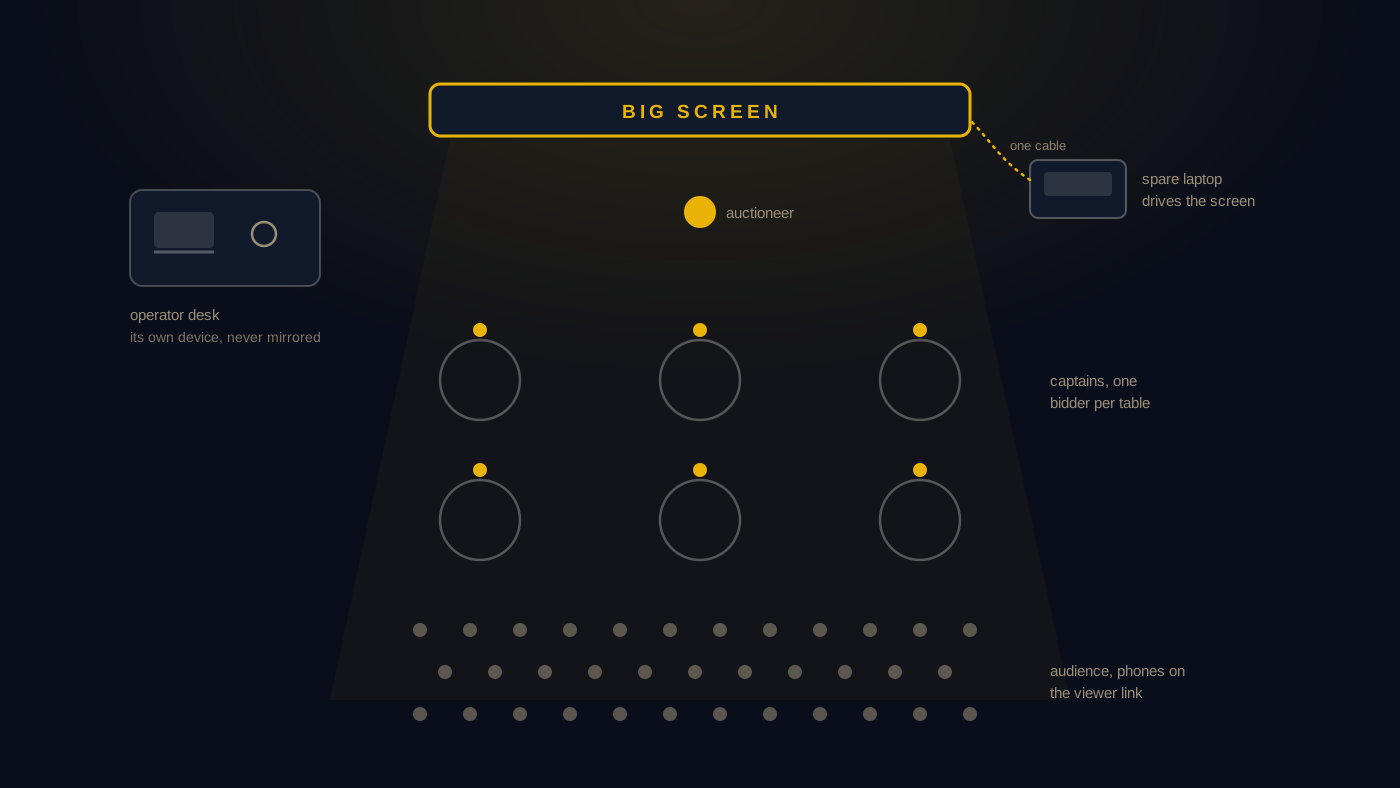
How it works: open the audience link, the viewer or projector link your auction platform gives you, in a browser on the connected device and make it full screen. That is the whole setup. With AuctionXI there is no software to install on the projector side. The projector link is just a web page, so anything with a browser can drive it, including a spare laptop, a desktop or a TV stick.
Three practical tips from many auction nights:
- Use two devices, not two windows. Run the operator panel on one laptop and the projector link on a second device. Dragging windows between displays mid-auction is how the audience ends up watching your control panel.
- Test at the venue, before guests arrive. Venue wifi, HDMI adapters and projector resolutions are the three things that fail. Fifteen minutes of testing removes all three.
- Keep the screen alive between lots. Empty screens kill energy. Use an idle or intermission scene during breaks so the screen always looks intentional, and a coming soon scene while the room fills up.
Layer two: the YouTube stream
Streaming your auction is the step that feels technical and is not. If someone in your league has ever streamed a game or a family function, they already have every skill required.
What you need: a free YouTube account enabled for live streaming, a computer and free streaming software. OBS Studio is the common choice.
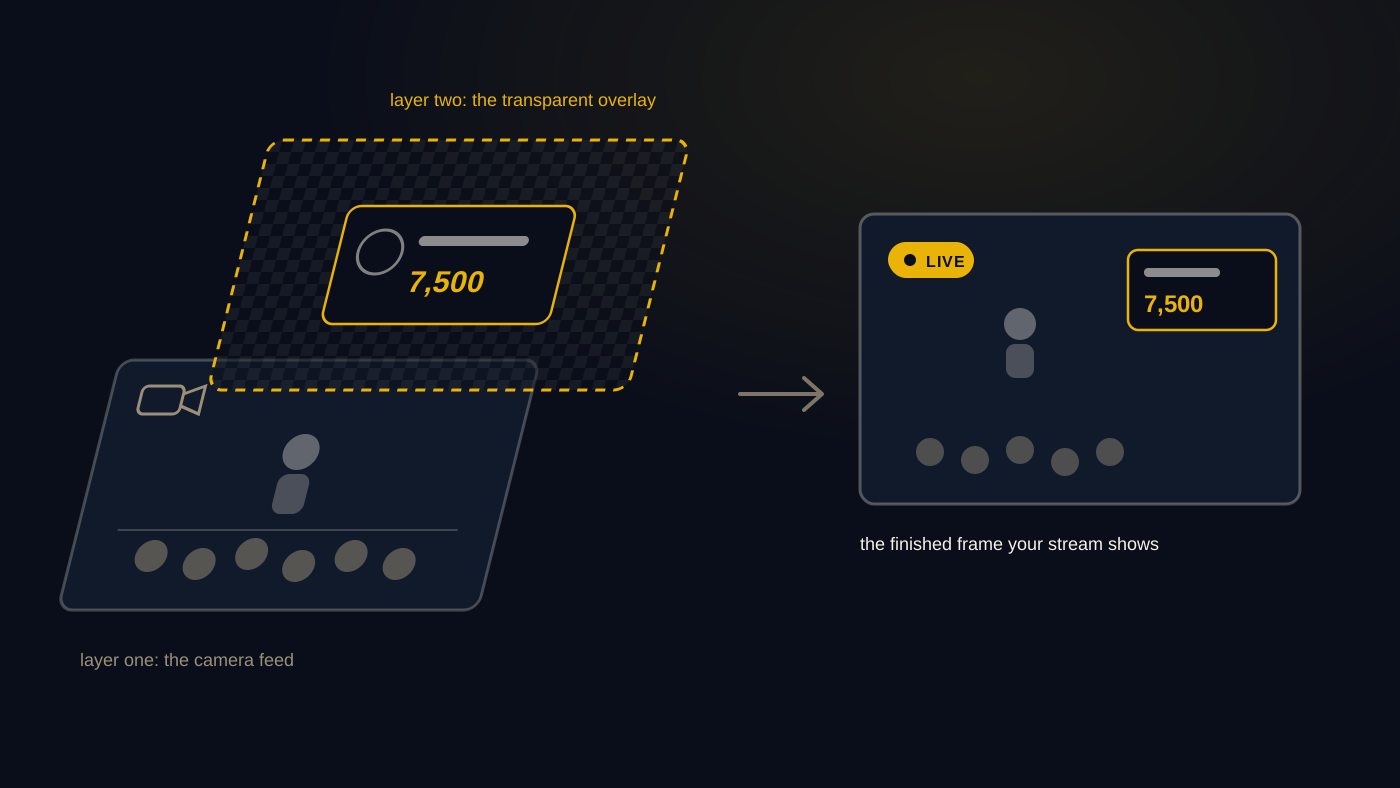
How the overlay works: this is the trick that makes an auction stream look professional. Alongside the projector link, AuctionXI provides an overlay link, which is the same live scene rendered with a transparent background. In OBS you add it as a browser source and place it over your camera feed. The result is exactly what you see in televised sport: your live video of the room underneath, with the auction graphics floating on top, bids updating in real time.
The basic recipe:
- Create a live stream in YouTube Studio and copy the stream key into OBS.
- Add your camera as a video source. A phone on a tripod pointed at the stage works fine.
- Add the overlay link as a browser source at your stream resolution and layer it above the camera.
- Do a private test stream a day before. Check that the overlay updates when a test bid happens.
- On the night, go live a few minutes early with the coming soon scene up.
Do you even need a camera? No. The simplest possible stream is just the projector link itself as your only source. No camera, no overlay layering, only the live scenes. It looks clean, it shows every bid and it takes five minutes to set up. Plenty of leagues start there and add a camera the following season.
Why stream at all? Because the auction audience is always bigger than the room. Players who are travelling, families who want to watch a player get sold and sponsors who want to see their name on screen all get a link instead of an apology. And the recording becomes a keepsake for the league.
Layer three: every phone in the room
There is a third audience the projector and the stream both miss: the people in the room who want to check details the big screen is not currently showing. The projector might be showing the player on the block while a captain's family wants to see their team's full squad so far.
This is what a live viewer link on phones is for. With AuctionXI, you share one link in the tournament WhatsApp group and anyone can open it in their phone browser. No app to install, no account to create. They can follow the current bid, browse squads and check purses at their own pace while the big screen carries the main show.
The phone layer is also the answer for fully remote auctions. If your league is spread across cities and there is no room at all, the viewer link plus a video call for the captains is a complete setup.
Putting the layers together
Here is what a well-broadcast auction night looks like end to end, using the Stormhawks league as our example.
The organiser arrives an hour early and connects a spare laptop to the venue projector, opens the projector link and leaves the coming soon scene up while people arrive. A friend sets up a phone on a tripod, adds the overlay link in OBS over the camera feed and starts the YouTube stream ten minutes before the first lot. The viewer link goes out in the league WhatsApp group. The operator runs the whole auction from the main laptop, switching the big screen to team finances during the break and to the celebration scene when the final player sells.
Nobody in that story is a video engineer. It is one spare laptop, one phone on a tripod and three links doing different jobs.
Start with the projector, because the room is the show. Add the phones, because it costs one WhatsApp message. Add the stream when you are ready for an audience beyond the venue. If you want all three links waiting for you out of the box, create your tournament on AuctionXI and point your screens at it.